Build a Boss Mobile Tips
Touch-friendly habits for building and fighting on phones and tablets—without inventing fake buttons.
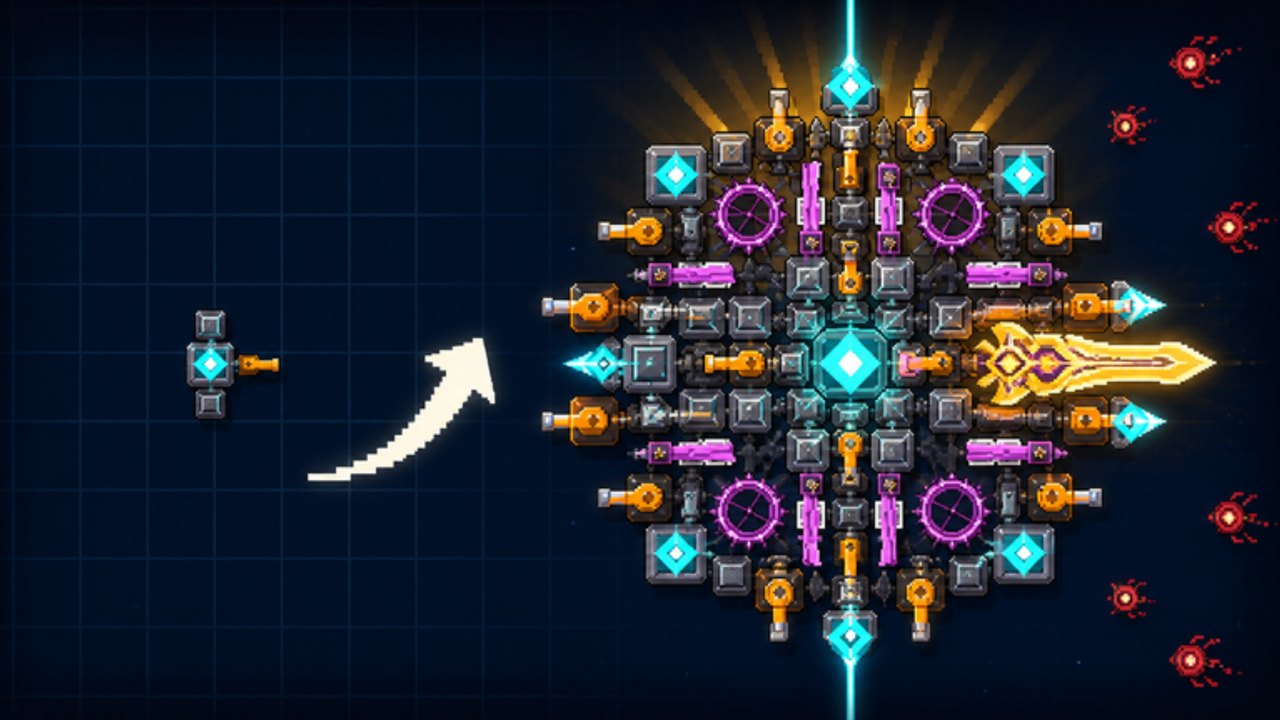
[ENDLESS] Build a Boss runs on Roblox’s mobile clients as a 2D Ro2D pixel boss-builder from taapr studios. Phones and tablets can clear the same 75 levels across 10 zones as desktop—you still buy guns, lasers, and armor, earn cash and gems, and chase 3 stars in servers of up to 10 players. What changes is precision, readability, and thermal/performance headroom. This guide covers reasoned mobile habits. It does not invent fake UI labels; Roblox and the experience can move buttons between app updates, so we describe jobs (build, fight, shop, chat) rather than mythical exact captions.
Pair this page with Controls, Getting Started, and How to Build a Boss. Released 22 August 2026 (place 121716260544429).
What mobile is good at (and what hurts)
Strengths
- Quick farm sessions on the go
- Easy to keep the wiki Build Checklist open in a browser tab between fights
- Touch drag can feel natural once zoomed in on the build canvas
Pain points
- Mis-taps when selling or moving small parts
- Harder to read dense fight telegraphs on a small screen
- Background apps + high graphics settings cause hitching mid-wave
- On-screen joysticks / touch zones can cover UI chrome depending on device
If a fight is unreadable, that is a piloting/readability fail mode—not always a reason to gem-panic. Fix the setup before you rebuild (Rebuild vs Upgrade).
Before you build: device setup
- Update Roblox from the official store so touch and performance fixes apply.
- Close heavy background apps (video, navigation, another game).
- Prefer Wi-Fi for shop + fight stability; unstable mobile data drops feel like “mystery deaths.”
- Enable Do Not Disturb during star pushes so notification banners do not eat taps.
- Lower graphics / remove shadows / cap FPS if the device runs hot—smooth input beats max eye candy in a 2D fighter.
- Landscape orientation usually gives a wider fight read; portrait can work for menus but often crowds the battlefield.
None of these require third-party “FPS unlock” APKs. Avoid sideloaded Roblox clients promising free gems—see Players / Community scam notes and Scripts.
Touch build UI habits
Building is where most mobile mistakes happen.
- Zoom the build view before you sell or drag. Tiny parts on a phone invite accidental sells.
- Make one change at a time, then visually confirm the silhouette. Rapid multi-drags create clutter you will pay for later.
- Prefer larger role pieces early if your fingers struggle with micro placement; a readable Starter Gun + Plate Armor hybrid beats a beautiful mess you cannot edit safely.
- After any large rebuild, smoke-test on an easy level before your highest zone (Zones).
- Keep a mental map of firing lanes: guns need clear forward space; lasers need long sightlines; armor faces the hit side—same rules as desktop, just slower to adjust (How to Build).
If the shop feels overwhelming on a small screen, open Parts Tier on a second device or browser and decide the one purchase before you tap buy.
Fight readability on a small screen
Ro2D fights reward seeing spawn lanes and spike tells early.
- Sit so glare is low; outdoor sun washes out pixel tells.
- Increase brightness temporarily for hard star attempts, then lower it to save battery.
- Hold the device steady; micro-jitter on touch aiming (if your control scheme uses drag aim / movement pads) costs HP.
- Mute lobby chat overlays if they cover the playfield—ten-player rooms get noisy (Community).
- When you die, ask: did I not see the threat, or did my build lack armor/DPS? Readability fails should not always trigger shop spends.
For star work, bias toward builds you can pilot calmly—often Balanced Fortress over ultra glass—until your thumbs are warm (Three Stars, Best Builds).
Performance tips (practical, not magical)
Hitching mid-wave is usually thermal or network:
- Take a two-minute cool-down if the phone is hot; thermal throttle feels like lag.
- Remove thick cases during long farm blocks if heat is obvious.
- Charge before a planned 20-minute farm (Farming) so low-power modes do not suddenly cap performance.
- Avoid screen recording + max settings + unstable LTE at once during a wall push.
- Rejoin a fresh server if the lobby feels desynced after a long session—small 10-player rooms are easy to leave and re-enter.
If everyone else is fine and only you hitch, it is almost never “the game secretly nerfed guns”—check device state first.
Session structure that works on mobile
Use short blocks so attention and thermals stay healthy:
- 5 min — build review with checklist (one fail mode).
- 15–20 min — farm block on a known clear.
- One planned purchase or placement fix.
- Optional 10 min — star attempts on a level you already clear.
- Stop or cool the device; log progress on the Progress Tracker.
This mirrors desktop discipline but respects phone limits.
Mobile vs desktop: when to switch devices
Stay on mobile for farms and comfortable clears. Consider desktop (or a tablet with a larger screen) when:
- You are placing a complex late rebuild with many small parts
- You are learning a new archetype and need precise drags
- Star thresholds feel coin-flip because you cannot see tells
Progress carries with your Roblox account—there is no shame in building on desktop and farming on phone.
Safety and social on mobile
- Do not tap random “free code” links from chat; there are no verified codes yet (Codes Hub).
- Join announcements via the taapr studios group, not clipboard malware sites.
- Discord invites, when they exist, must come from official channels—this wiki does not invent invite URLs.
- Report harassment with Roblox tools; mute liberally on a small screen where chat eats space.
Quick mobile checklist
- Roblox updated; background apps closed
- Graphics lowered if hitching / heat
- Build view zoomed before edits
- One shop change per attempt
- Fail mode named after each death
- Wiki checklist or progress tracker available in a browser tab
- Star pushes only on already-clearable levels
Related reading
- Controls
- Getting Started
- Rebuild vs Upgrade
- How to Build a Boss
- Build Checklist
- Players Community
- Guides Hub
Mobile Build a Boss is absolutely viable. Treat touch as a constraint like a zone mechanic: plan around it, keep silhouettes readable, and let calm farms fund the upgrades that actually matter.
Frequently Asked Questions
Quick answers for Build a Boss players.
Can I finish all 75 levels on a phone?
Yes. The loop is the same on mobile Roblox. Use zoomed build edits, shorter farm blocks, and switch to a larger screen only when precise late rebuilds demand it.
Why do I mis-sell parts on mobile?
Usually insufficient zoom and rushed multi-drags. Zoom in, change one part at a time, and smoke-test after big edits.
Are there special mobile-only buttons in Build a Boss?
This guide does not invent button labels. Use Roblox’s standard mobile controls plus the experience’s build/fight/shop UI as shown in your current client build.
My fights hitch only on mobile—what should I try first?
Lower graphics, close background apps, cool the device, prefer Wi-Fi, and avoid stacking screen recording with max settings during pushes.
Should mobile players pick Glass Cannon builds?
Only if you can read threats reliably. Many phone players prefer Balanced Fortress until star attempts feel readable and stable.